


Gutenberg introduces the modern JavaScript stack into the WordPress ecosystem, which means some new tooling should be learned. Although tools like create-guten-block are incredibly useful, it’s also handy to know what’s going on under the hood.

|
|
Zavrieť Schovať lištu | ||||||||||||||
Gutenberg introduces the modern JavaScript stack into the WordPress ecosystem, which means some new tooling should be learned. Although tools like create-guten-block are incredibly useful, it’s also handy to know what’s going on under the hood.
With DigitalOcean, you can spin up Droplet cloud servers with industry-leading price-performance and predictable costs. Our flexible configurations are sized for any application, and we save you up to 55% when compared to other cloud providers.
Get started today. Receive a free $100/60-day account credit good towards any DigitalOcean services.

Although Gutenberg is put together with React, the code we’re writing to make custom blocks isn’t. It certainly resembles a React component though, so I think it’s useful to have a little play to get familiar with this sort of approach. There’s been a lot of reading in this series so far, so let’s roll-up our sleeves and make something cool.

One of the key changes that Gutenberg brings to the WordPress ecosystem is a heavy reliance on JavaScript. Helpfully, the WordPress team have really pushed their JavaScript framework into the present and future by leveraging the modern JavaScript stack, which is commonly referred to as ES6 in the community. It’s how we’ll refer to it as in this series too, to avoid confusion.
Let’s dig into this ES6 world a bit, as it’s ultimately going to help us understand how to structure and build a custom Gutenberg block.


Welcome back! We’ve just taken a look at what Gutenberg is and how it operates from the admin side. Gutenberg is certainly going to have a massive impact on the WordPress world. If you are just arriving here and have no idea what we’re talking about, I recommend at least skimming Part 1 to make sure you have the appropriate background.
Let’s create a custom block with a bit of help from a wonderful tool called create-guten-block. Onward!

Interestingly, one of the most important areas of a blog post is the comment section. This plays an important role in the success of a post or an article, as it allows proper interaction and participation from readers. This makes it inevitable for every platform with a direct comments system to handle it in realtime.
In this post, we’ll build an application with a live comment feature. This will happen in realtime as we will tap into the infrastructure made available by Pusher Channels. We will also use the sentiment analysis to measure whether comments are positive or negative, and display this information on an admin panel.

Marcin Wichary has written a great piece that dives into how he used CSS Variables to create a night mode and high contrast theme in an app. There’s so many neat tricks about how to use CSS Variables (Chris has also looked at theming) as well as how to organize them (Andras Galante has an interesting take on this) in here. Plus, Marcin shares some tricks about using filters to invert the color of an image.
I also also love this part of the article where Marcin writes:
I was kind of amazed that all of this could happen via CSS and CSS alone: the colours, the transitions, the vectors, and even the images...
CSS is mighty powerful these days, and it’s posts like Marcin’s that remind me it wasn’t that long ago that theming an app like this would’ve been impossible.

Gutenberg is the new React-driven SPA editing experience in WordPress. Oh wait, a string of buzzwords doesn't count for a viable explanation of software? We’re going to unpack that string of buzzwords as we explain what Gutenberg is.

Hey CSS-Tricksters! 👋 We have a special long-form series we’re kicking off here totally dedicated to Gutenberg, a major change to the WordPress editor. I’ve invited a dynamic duo of authors to bring you this series, which will bring you up to speed on what Gutenberg is, what it can do for your site, and how you can actually develop for it.
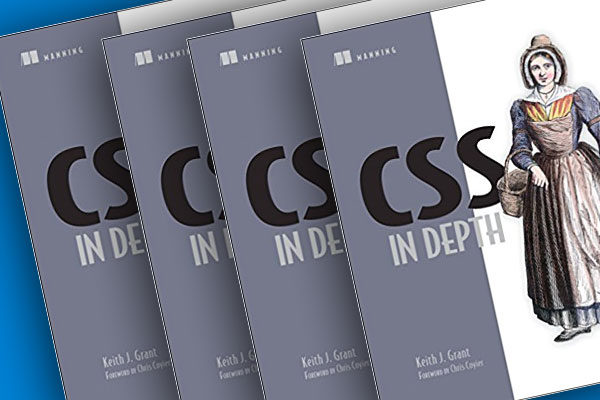
Keith Grant recently released a brand new book on CSS: CSS in Depth. If you're looking for a book focused specifically on learning CSS, you've found it. I was happy to write the foreword for it, which I'll republish here.
The max-lines property limits the content of a block to a maximum number of lines before being cut off and can create a line clamping effect when combined with block-overflow. In fact, both properties make up the line-clamp property, which is a shorthand for combining them.